Installing Exovo
Exovo installs with a single command. It pulls a small onboarding wizard that walks you through configuration in your browser, then deploys the full stack — telephony core, web console, database, media relay and reverse proxy — as containers on your host.
Requirements
| Requirement | Minimum |
|---|---|
| Host | Linux x86-64 (bare metal or VM), root/sudo access |
| Software | Docker Engine 24+ with Docker Compose v2 |
| Resources | 2 vCPU, 4 GB RAM, 20 GB disk (plus space for recordings) |
| Network | A public DNS name (FQDN) pointing at the host |
| License | Your Exovo license key |
The FQDN matters: it's the address of your web console, what remote phones and apps connect to, and — if you use automatic certificates — what the certificate is issued for. Create the DNS record before installing.
One more check that saves a support call later: the host's /etc/resolv.conf must list a real
nameserver, not only a loopback one (127.0.0.53 from systemd-resolved, a local dnsmasq, ::1).
Docker builds each container's resolver from that file and drops loopback entries; current Docker
engines then leave the containers with no DNS at all. If your host resolves through a local
stub, tell Docker which servers to use before deploying:
printf '{ "dns": ["<your DNS server>", "1.1.1.1"] }
' > /etc/docker/daemon.json && systemctl restart docker
Firewall ports
⚠ Do not forward SIP port 5060 (or 5061) to this server. Exovo's phone-registration ports are LAN-only by design — the whole internet spends its day scanning open 5060 ports for phone systems to attack. If you are migrating from another phone system (3CX, FreePBX, etc.), delete its 5060 port-forward rule from your router rather than reusing it: that single leftover rule is the most common way a fresh install ends up exposed. Remote phones and offices reach Exovo through the tunnel and VPN instead (see the table below) — 5060 never needs to face the internet.
Phones never register across NAT in Exovo: local phones stay on the LAN, remote offices connect through the SBC tunnel, and individual remote phones through the built-in VPN. So the SIP registration ports (5060/5061) should never be forwarded on your router — forward only what your deployment actually uses:
| Port | Protocol | Forward when |
|---|---|---|
| 80 | TCP | HTTP redirects and automatic certificate issuance (HTTP-01) |
| Configured HTTPS port (443 by default) | TCP | Web console, provisioning and HTTPS APIs; use the port selected during onboarding, such as 5001 |
| 5080 | UDP + TCP | You use SIP trunks — the provider-facing SIP profile (required for IP-authenticated trunks) |
| 16384-16584 | UDP | Media — RTP call media for SIP trunks (16384-16484) and the TURN relay for browser calling (16485-16584); forward the whole block as one rule |
| 5090 | TCP + UDP | Remote SBC sites or the Exovo apps connect to this system |
| 5091 | UDP | Individual remote phones connect over the built-in VPN (OpenVPN) |
| 8443 | TCP | Cisco Enterprise phones connect over their built-in VPN (AnyConnect) |
| 443 | UDP | Cisco phone VPN media path (DTLS) — optional; calls fall back to TLS without it |
| 3478 | UDP + TCP | Users take browser calls from outside the LAN (TURN media relay) |
Everything else stays closed at the network edge. On the host's own firewall, LAN-facing ports (5060/5061 for local phones and registering gateways, plus 5082 for LAN SIP peers) still need to be open to the LAN — the full port map with each port's intended audience is in the architecture overview. See the security hardening checklist before go-live.
Install
On the host, as root:
curl -fsSL https://get.exovo.tel/onboard | sudo bash
The script pulls the onboarding wizard and prints a link:
---------------------------------------------------------------
 Exovo onboarding is running. Open this in a browser:

     https://YOUR-BOX-IP:9443/?t=<one-time-token>

 (accept the one-time self-signed certificate warning)
---------------------------------------------------------------
Open the link (the certificate warning is expected — the wizard hasn't issued your real certificate yet; the one-time token in the URL keeps anyone else out).
The onboarding wizard
The wizard walks through:
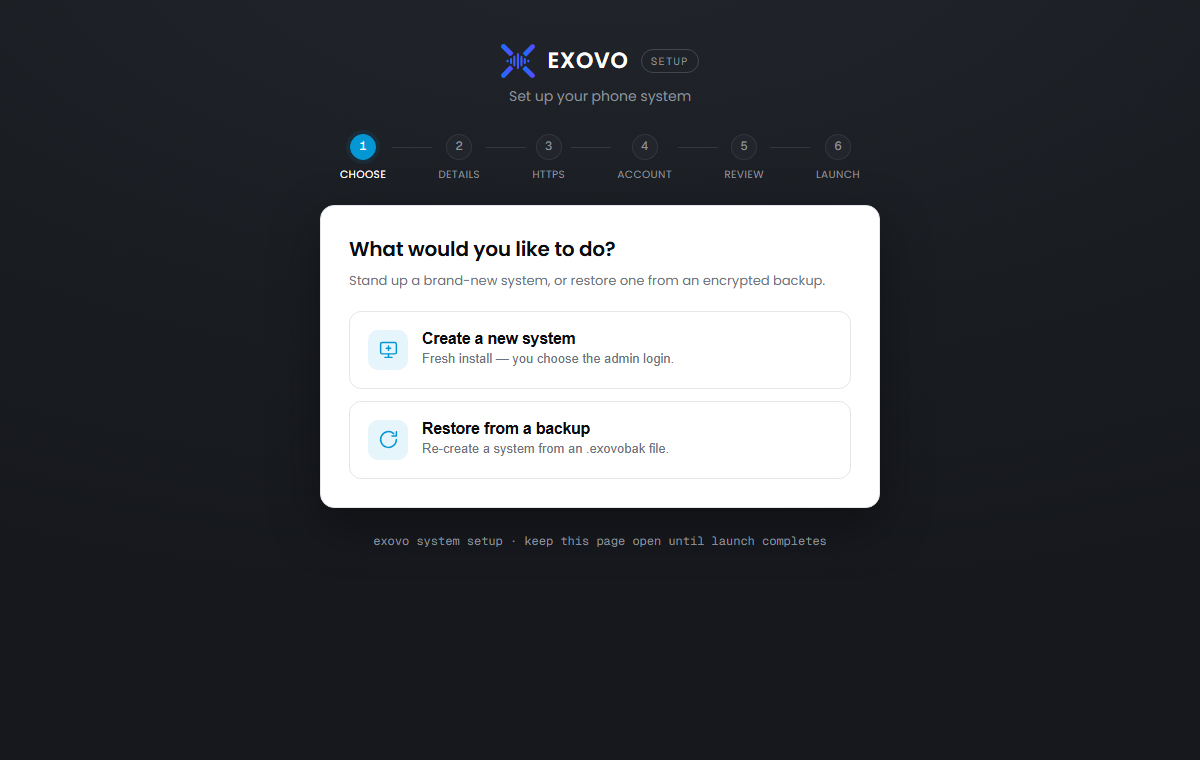
What would you like to do? — three choices: create a new single system (one organization — the usual pick), create a new multi-tenant system (host several organizations as tenants, each with its own domain — see multi-tenant Exovo; this choice cannot be changed later), or restore from a backup (see restoring onto a new system).
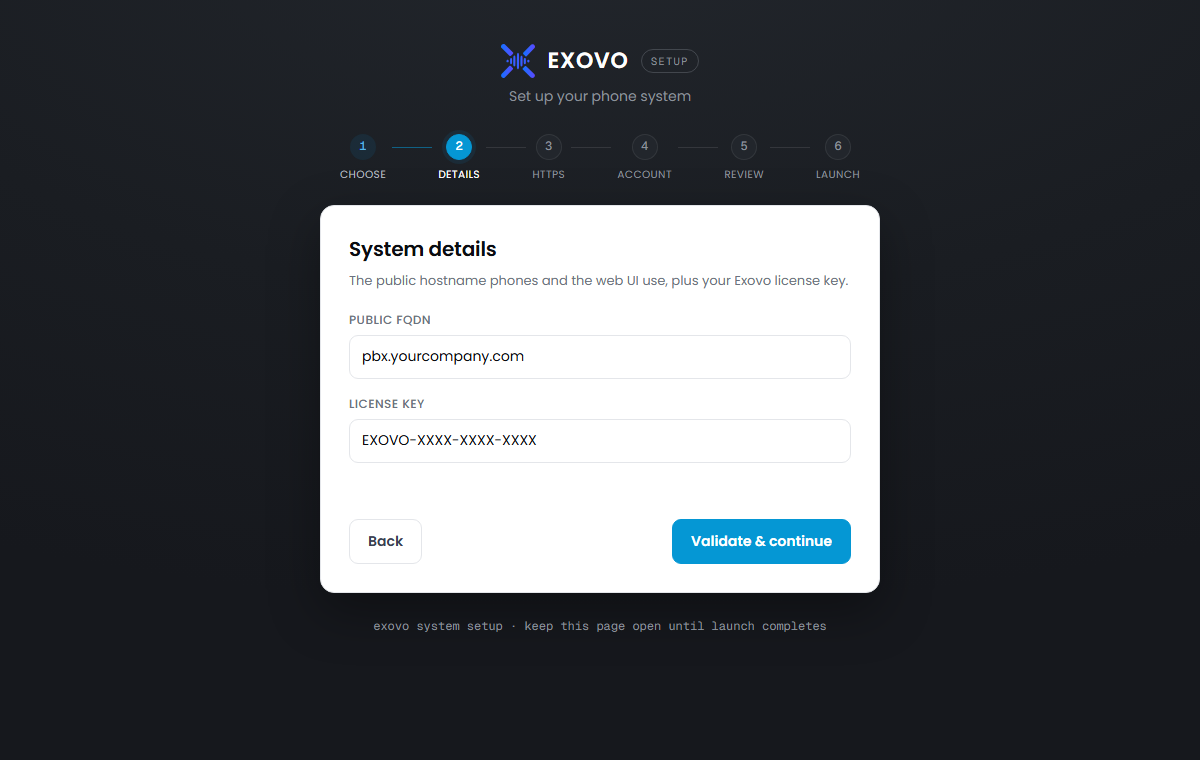
FQDN, HTTPS port and license key — the key is validated against the Exovo portal before anything deploys. Leave HTTPS port at 443, or choose another port such as 5001 when 443 is already used at your public address. Forward that TCP port to the same port on the Exovo host. The port is shared by the web console, provisioning and HTTPS APIs; it does not change the SIP, tunnel, TURN or VPN ports. Port 80 is still used for HTTP redirects and automatic certificate issuance, and must reach Exovo if you use automatic certificates.
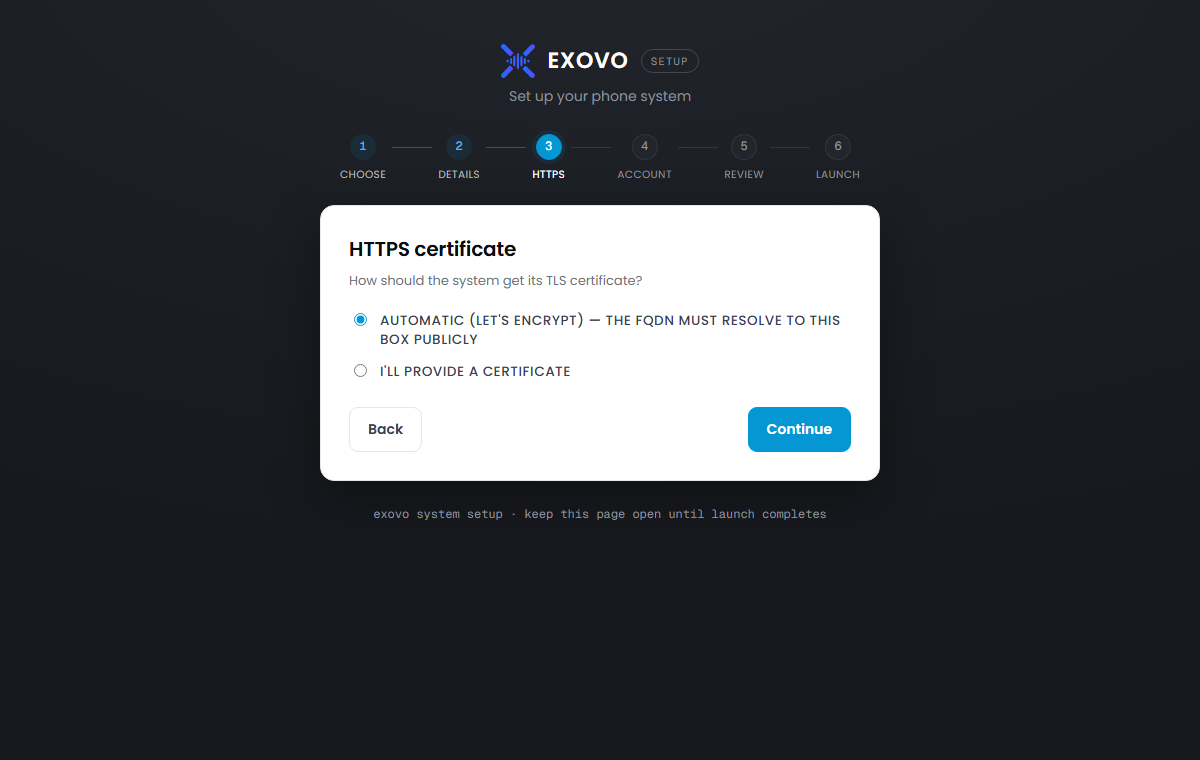
TLS certificate — automatic (recommended: issued and renewed for your FQDN, which must resolve publicly) or custom (paste your own certificate and key in PEM form).
Administrator account — email and password for the first admin login (new systems), or your backup file and passphrase (restores). On a multi-tenant install this step also creates the machine operator (the box-level login that manages tenants) and names tenant 1, the first phone system on the machine.
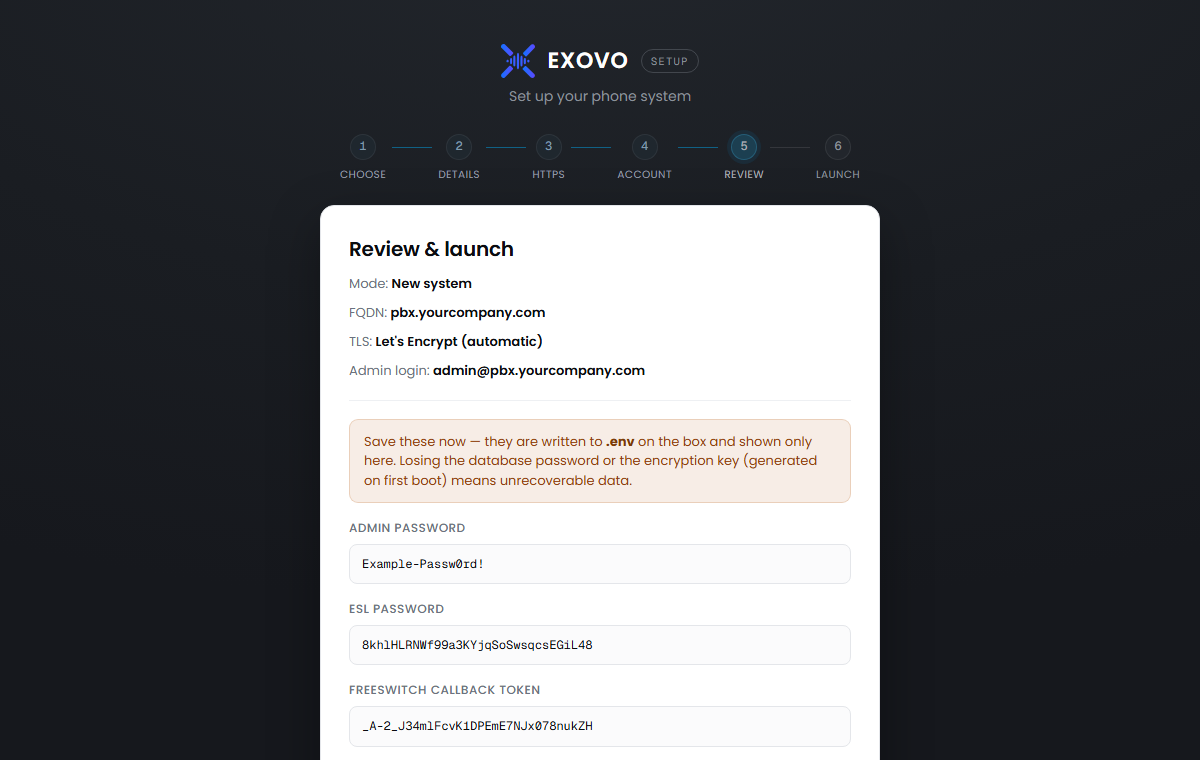
Review & launch — a final summary plus the generated internal secrets (database, telephony control, media relay). They're written into the configuration and shown once; store them with your infrastructure records.
Click Launch and the script you started takes over: it authenticates to the Exovo registry
with your license key, pulls the images, installs the host-side update/restore services, and
starts the stack. Progress is logged to /opt/exovo/deploy.log.
When it finishes, open the completion link and sign in: https://<your-fqdn> for port 443, or
https://<your-fqdn>:5001 if you chose 5001. Continue with
first login and initial setup.
The HTTPS port after deployment
The selected port is saved as EXOVO_HTTPS_PORT in /opt/exovo/.env. It is a deployment setting,
not a database setting. Existing installations without it continue to use 443, so they need
no migration or manual setting. Updates preserve the configured value. Native backups record the
port, and restore onboarding lets you confirm or change it for the destination host.
Use the full HTTPS address, including a non-default port, when connecting clients or manually entering a provisioning URL. The SBC installer also needs this HTTPS port for enrollment; its tunnel still uses 5090.
What lands where
| Path | Contents |
|---|---|
/opt/exovo |
The stack: docker-compose.yml, .env (license + secrets), deploy scripts |
/var/lib/exovo |
Your data: recordings, prompts, fax, certificates, logs |
Two small systemd watchers are installed on the host (exovo-update, exovo-restore). They're
how the web console applies system updates and staged backup
restores — a container can't safely restart its own stack, so the host does it.
Managing the stack manually
Everything is standard Docker Compose. From /opt/exovo:
./deploy.sh                # re-authenticate, pull latest images, (re)start — safe anytime
docker compose ps          # container status
docker compose logs web    # follow a service's logs
docker compose up -d       # start (uses the cached registry login)
deploy.sh also refreshes the compose file and host scripts from the release bundle, so the
configuration on disk always matches the images — don't hand-edit docker-compose.yml; changes
would be overwritten on the next update.
Re-running the installer
The installer refuses to run if /opt/exovo/.env exists, so it can't clobber a configured
system. To deliberately start over on the same host:
EXOVO_ONBOARD_FORCE=1 bash -c "$(curl -fsSL https://get.exovo.tel/onboard)"
Troubleshooting
The wizard link doesn't load — port 9443 must be reachable from your browser to the host; it's only needed during onboarding.
License validation fails — the host needs outbound HTTPS to the Exovo portal; check the key for typos (it's safe to re-try).
Automatic certificate fails — the FQDN must resolve to this host from the public internet and port 80 must be reachable; otherwise use a custom certificate.
Deploy errors — check
/opt/exovo/deploy.log; a stalled image pull usually means the host can't reachregistry.exovo.telover HTTPS."Unreachable" everywhere while the host itself resolves fine — the update check says the registry is unreachable, the Portal shows the system offline, email and SMS fail — yet
getent hosts registry.exovo.telworks on the host. Docker builds each container's resolver from the host's/etc/resolv.confwhen the container is created and drops loopback nameservers (127.0.0.53,::1, a local forwarder); if nothing is left, recent Docker engines give the containers no DNS at all and the container's/etc/resolv.confsaysNO EXTERNAL NAMESERVERS DEFINED. The dashboard raises a red banner for this. Fix it once by telling Docker which servers to use:printf '{ "dns": ["<your DNS server>", "1.1.1.1"] }
' > /etc/docker/daemon.json && systemctl restart docker
Fixing the host's `resolv.conf` alone is not enough — the containers keep the resolver they
were created with until the stack is restarted.